
See how SociableKIT used Webynize’s Pricing Table, Logo Showcase, FAQ, and Back to Top tools to create a professional pricing page that converts visitors into customers. No developer needed.
The Result First
SociableKIT went from 8 to 9 paid subscribers a day, cut daily support inquiries from 27 to 24, gave their developers back time they weren’t supposed to be spending, and got their visitors exploring 8.3% more of their site, all from four additions to their pricing page.
Company Snapshot
| Company | SociableKIT |
| Website | sociablekit.com |
| Industry | SaaS / Social Proof |
| Installations | 400,000+ websites |
| Webynize tools used | Pricing Table, Logo Showcase, FAQ, Back to Top Button |
The Problem
If your team is sending Slack or Google Chat messages to developers every time something small needs updating on your pricing page, you already understand the problem SociableKit was facing.
Mike, founder of SociableKIT, needed a pricing page that his whole team could manage without pulling developers away from actual product work. Every small update, a copy tweak, a color change, a new FAQ entry, a logo addition, had to go through engineering.
Marketing would wait. Customer success would wait. Sales would wait. And developers, who should have been building the product, were fielding requests to change a button label on the pricing page.
On top of that, the static nature of the page was quietly costing them. Without a way to quickly showcase new clients, trust signals were going stale. Without a living FAQ, the same questions kept flooding the customer success inbox every single day. Every day the page stayed hard to update was a day it was underperforming.
The fix didn’t require a redesign or a new developer. It required the right tools in the right places, ones that different teams could own and manage independently.
The Results
| Webynize Tool | Before | After | Result |
|---|---|---|---|
| Logo Showcase | 8 paid subscribers/day | 9 paid subscribers/day | +12.5% |
| FAQ | 27 support inquiries/day | 24 support inquiries/day | -11.1% |
| Pricing Table | 7 dev app tasks/day | 8 dev app tasks/day | +14.3% productivity |
| Back to Top Button | 2.4 pages/session | 2.6 pages/session | +8.3% pages per session |
Try Webynize Free – No Credit Card Required. Set up in under 10 minutes.
What Powers The Pricing Page
1. Pricing Table
Used on: Public pricing page and inside the app
Before: Every update to the pricing page required a formal request to the engineering team. The sales team, who understood pricing objections better than anyone, had no way to act on what they were hearing from prospects. Small updates sat in a developer queue for days while the pricing page stayed out of date.
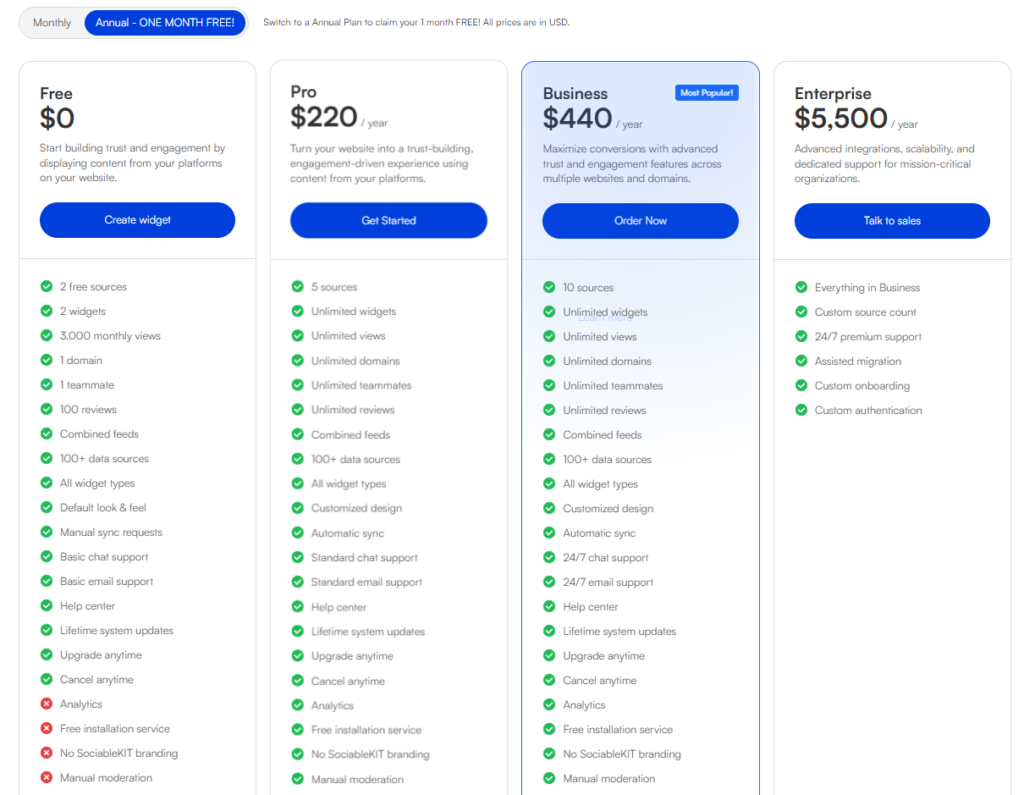
After: SociableKit’s sales team now manages the Pricing Table directly through Webynize. They update plan details, adjust copy, and make visual changes without writing a single support ticket to engineering. Developer productivity on the actual app increased by 14.3%, engineers went from completing an average of 7 app tasks per day to 8, simply because they stopped being pulled into pricing page maintenance that never needed them in the first place.
What makes the Pricing Table even more powerful is what happens when a visitor clicks a plan. SociableKit’s engineering team connected their Paddle billing account to Webynize through custom JavaScript, meaning visitors can select a plan and complete their subscription automatically, no manual handoff, no redirect to a separate checkout flow. The pricing table isn’t just informational. It’s a fully functional conversion tool.
Webynize’s Pricing Table is used in two places across SociableKit’s product, on their public-facing pricing page and inside the app itself, giving both prospective and existing customers a consistent, always up-to-date view of available plans.
Why it works:
- Sales team manages plan details and copy without developer requests
- Connected to Paddle via custom JavaScript for seamless in-page checkout
- Used consistently across both the public pricing page and inside the app
- Side-by-side plan comparison removes decision fatigue
- Fully responsive across desktop and mobile
“Before Webynize, I had to message our dev team every time I wanted to change something on the pricing page, even something as small as rewording a feature description. It would take days. Now I just log into Webynize and update it myself in minutes. Our pricing page finally reflects what we’re actually selling.” — Joven, Sales, SociableKIT
But a pricing table alone doesn’t close the sale, visitors still need to know they’re in good company before they commit.
2. Logo Showcase
Used on: Public & inside the app pricing pages, and homepage
Before: SociableKit’s pricing page had no dedicated section for showcasing the brands that trusted their platform. Adding one meant another developer request, another round of back-and-forth on design, and another delay. So it stayed off the page, and the page quietly underperformed because of it.
After: Once SociableKit added Webynize’s Logo Showcase, displaying recognizable brands like The North Face, Harley Davidson, Turkish Airlines, and US Foods under the label “Trusted by Leading Brands”, daily paid subscriber averages grew from 8 to 9. That’s a 12.5% increase in daily paid subscribers from a single trust signal, placed at the exact right moment on the page.
The placement is deliberate. A visitor has just seen the price. Their instinct is to ask “Is this worth it? Do real companies use this?” The logo strip answers that question immediately, right where the doubt surfaces.
SociableKIT uses the Logo Showcase in three places, on the public and in-app pricing pages, and on their homepage, giving every visitor, regardless of where they enter the site, an immediate signal that real, recognizable brands trust the platform. Their marketing team manages all those instances through the Webynize dashboard. When a notable new client comes on board, they add the logo the same day, and it is reflected in different places on their site and app. No developer request. No waiting.

Why it works:
- 12.5% increase in daily paid subscribers after implementation
- Used on both the pricing page and homepage for consistent trust signaling
- Placed at the exact moment of price hesitation, right after the pricing table
- The Marketing team adds, removes, or reorders logos anytime through the Webynize dashboard
- Recognizable brand logos transfer credibility instantly
“We had a list of well-known brands using SociableKIT but no good way to show them on the pricing page without asking a developer. With Webynize we added the logo showcase in one sitting. When a new notable client signs up, I add their logo the same day. It’s become one of the first things I do when we land a big name.” — Stephen, Marketing, SociableKIT
Trust is established. Now the visitor has one more question: “What’s the catch? What do I need to know before I sign up?”
3. FAQ
Used on: Public pricing page and inside the app
Before: Without a dedicated FAQ on the pricing page, SociableKIT’s customer success team was fielding the same questions every single day, about free trials, plan differences, cancellation policies, and payment methods. It wasn’t a knowledge problem. The answers existed. There was just no place on the page to surface them before a visitor reached for the support chat.
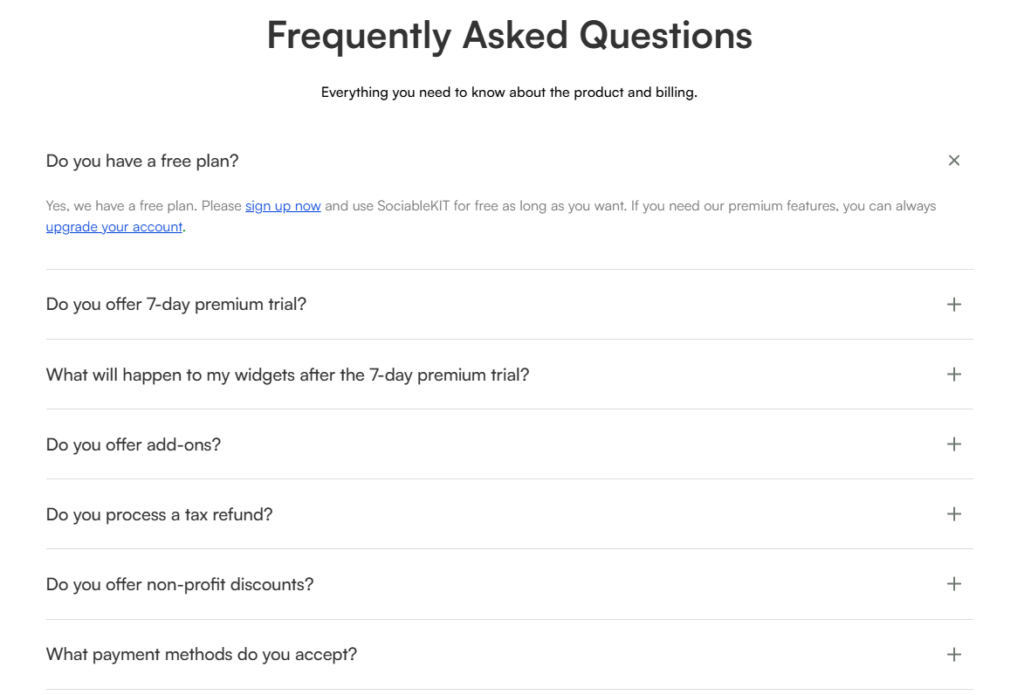
After: Since adding Webynize’s FAQ to the pricing page, daily inbound support inquiries dropped from 27 to 24, an 11.1% reduction. The most common pre-purchase questions are now answered directly on the page, in a clean accordion layout, right where a visitor’s hesitation naturally peaks, below the pricing table and before the final CTA.
The FAQ is also used inside the app, where existing customers can get answers to common post-purchase questions without needing to contact support. Both instances are managed by SociableKit’s customer success team through the Webynize dashboard. As the product evolves, they add new questions, remove outdated ones, and update answers in real time, no developer needed, no deployment required. The page reflects the latest information the moment they hit save.
Why it works:
- 11.1% reduction in daily support inquiries after implementation
- Used on both the public pricing page and inside the app
- The Customer success team manages the FAQ independently through Webynize
- Addresses real objections at the moment they arise
- Accordion layout keeps the page clean and scannable
- Builds confidence right before the final CTA
“I used to answer the same five questions every single day. Do you have a free trial? What happens after the trial? Can I cancel anytime? Now those questions barely come in because the FAQ on the pricing page answers them before the customer even thinks to ask. I can actually spend my time helping customers with real problems now.” — Kendrix, Customer Success, SociableKIT
The visitor is informed, reassured, and ready to decide. The last thing Webynize does is make sure they can act on that decision no matter where they are on the page.
4. Back to Top Button
Used on: Public pricing page
With a pricing page this thorough, four plan tiers, brand logos, testimonials, a video section, and a full FAQ, visitors scroll deep. Getting back to the top to re-read a plan or click the signup CTA was a small but real friction point.
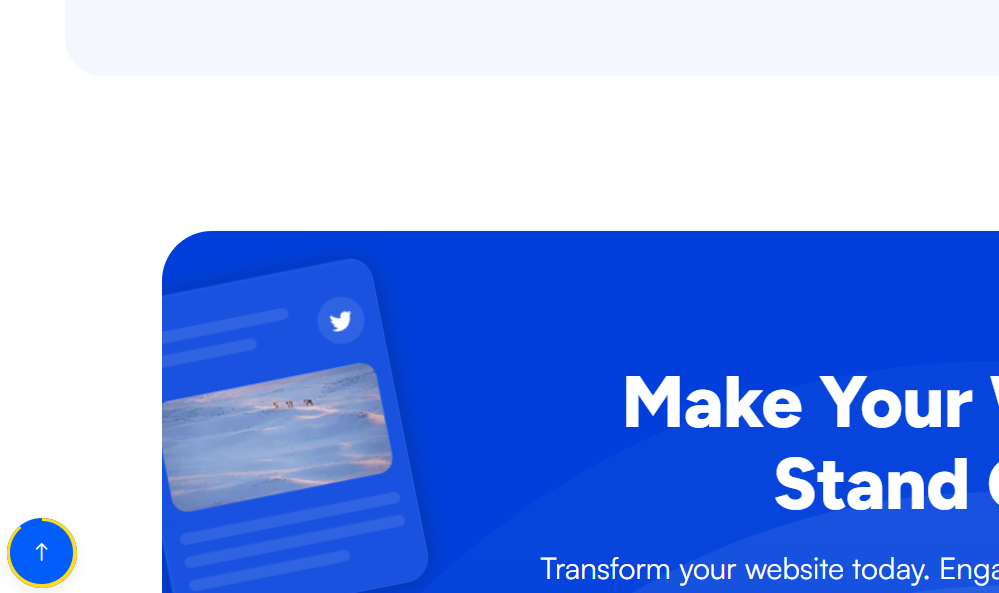
Webynize’s Back to Top Button solves it with a floating button that appears as the visitor scrolls, letting them return to the top instantly. What SociableKIT noticed after adding it was a specific behavior pattern: visitors would scroll down through the page, use the back to top button to return to the top, and then scroll down again, exploring the page more thoroughly on each pass.
The data confirmed it. Pages per session increased from 2.4 to 2.6, an 8.3% increase, meaning visitors are now exploring more of the site on each visit. A small navigation addition created a meaningfully deeper browsing experience.
SociableKit’s UI/UX designer also customized the button’s appearance through Webynize to match the page’s visual identity, so it feels like a deliberate part of the design rather than a generic add-on.
Why it works:
- 8.3% increase in pages per session after implementation
- Encourages visitors to re-explore the page rather than leaving after scrolling down
- Fully customizable, SociableKIT’s UI/UX designer styled it to match the page
- Keeps long pages navigable without frustration
- Takes under a minute to add to any page
One Account. Every Team.
One of the reasons Webynize works so well for a company like SociableKIT is that it’s built for teams, not just individuals. A single Webynize account supports multiple teammates, so each team manages the tools that fall within their area of ownership.
At SociableKit, this looks like:
- Sales team updates the Pricing Table when plan details or copy needs to change
- Marketing team manages the Logo Showcase when new clients come on board
- Customer success team keeps the FAQ current as new questions surface from support tickets
- UI/UX designer handles visual customizations like the Back to Top button styling
- Engineering team handled the Paddle integration once, and hasn’t been pulled into pricing page work since
No bottlenecks. No developer queue for simple updates. Every team moves at their own pace, independently, through the same Webynize dashboard.
SociableKit had all four tools live within a single afternoon, no lengthy onboarding, no technical implementation beyond the one-time Paddle integration.
The Full Picture
| Page Location | Webynize Tool | Who Manages It | Result |
|---|---|---|---|
| Pricing page + app | Pricing Table | Sales team | 14.3% increase in developer productivity |
| Pricing page + homepage | Logo Showcase | Marketing team | 12.5% more paid subscribers per day |
| Pricing page + app | FAQ | Customer success team | 11.1% fewer support inquiries per day |
| Pricing page | Back to Top Button | UI/UX designer | 8.3% increase in pages per session |
No custom development for ongoing maintenance. No bottlenecks. The right tool in the right place, managed by the right person, and results that show up in the numbers.
Could Your Pricing Page Do This?
If your team is still waiting on developers for small updates, your FAQ is outdated, your trust signals are going stale, or your visitors aren’t exploring beyond the first scroll, this is exactly the kind of problem Webynize is built to solve.
SociableKIT had it live in an afternoon. You can too.
Set up in under 10 minutes. No credit card required.


